How To Use A Car Fm Bluetooth Player (Beginner’S Guide)
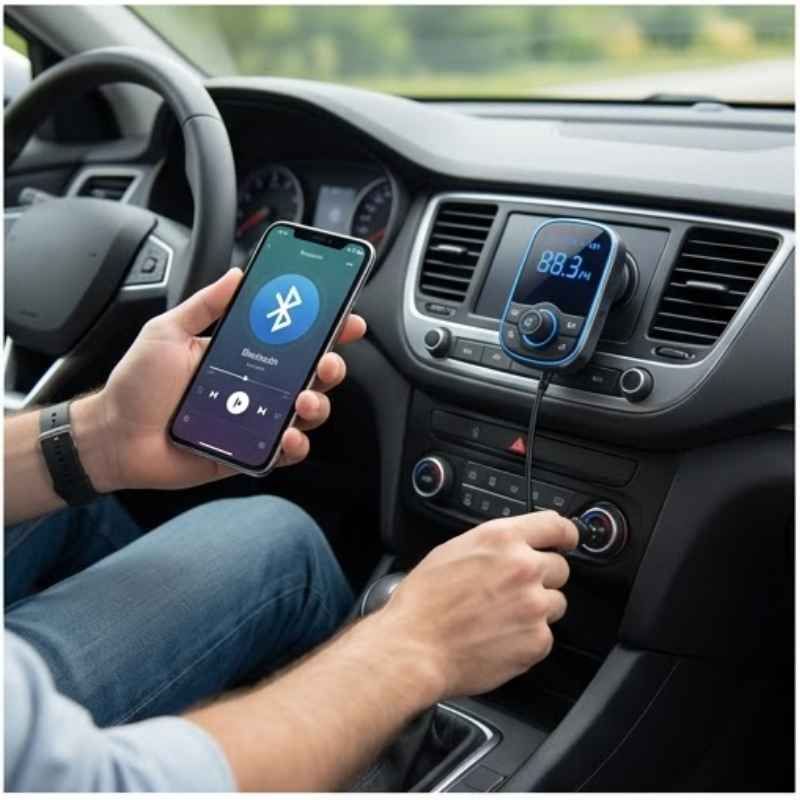
A car FM Bluetooth player lets you stream music and take calls from your phone through your car’s existing radio. It connects wirelessly via Bluetooth and broadcasts your phone’s audio over an unused FM radio frequency. This is a common way to add modern features to older cars without replacing the whole stereo system.
Understanding Your Car FM Bluetooth Player
These little devices are pretty smart. They act as a bridge. Your smartphone talks to the player using Bluetooth.
Then, the player sends that sound out using an FM radio signal. Your car radio just tunes into that signal like any other station. This is how you get your music or the voice on a call right through your car speakers.
Think of it like this: your phone has the music. The player is a mini radio station for your car. It takes your phone’s sound and broadcasts it.
Your car’s radio is the receiver. It just needs to be tuned to the right “channel” (the FM frequency the player is using).
The main parts you’ll see are usually the player itself, which might plug into your car’s 12V outlet (the cigarette lighter port). It often has buttons for playing, pausing, and changing tracks. Many also have a small screen.
Some have a built-in microphone for calls. Others might come with a separate microphone you can clip onto your sun visor.
My First Bluetooth Player Mishap
I remember the first time I tried to set up one of these. It was a gift for my old sedan. I plugged it in, saw lights, and felt pretty good.
Then I tried to connect my phone. It said it was paired! But when I played music, all I heard was static, or just the regular radio.
I fiddled with it for what felt like hours. I reread the tiny instruction booklet three times. I was starting to get really annoyed.
Was this thing broken? Was I just not tech-savvy enough? I even considered just going back to my CDs.
That’s when I realized I was missing a crucial step: setting the FM frequency correctly. Once I figured that out, it was like magic. The music flooded my car speakers, clear as day.
It’s a simple fix, but easy to overlook when you’re excited to get it working.
Setting Up Your FM Bluetooth Player
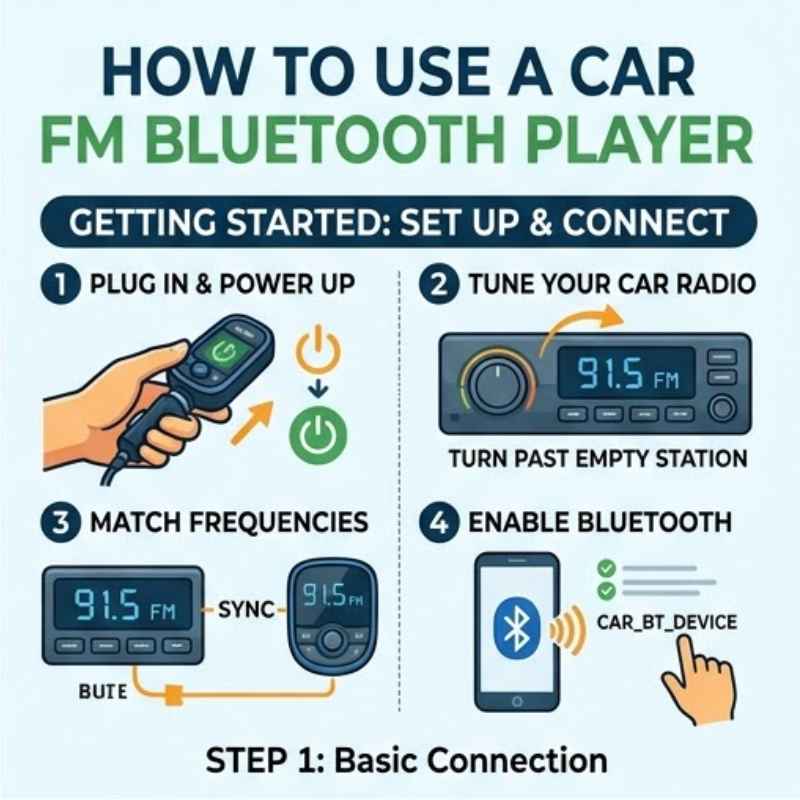
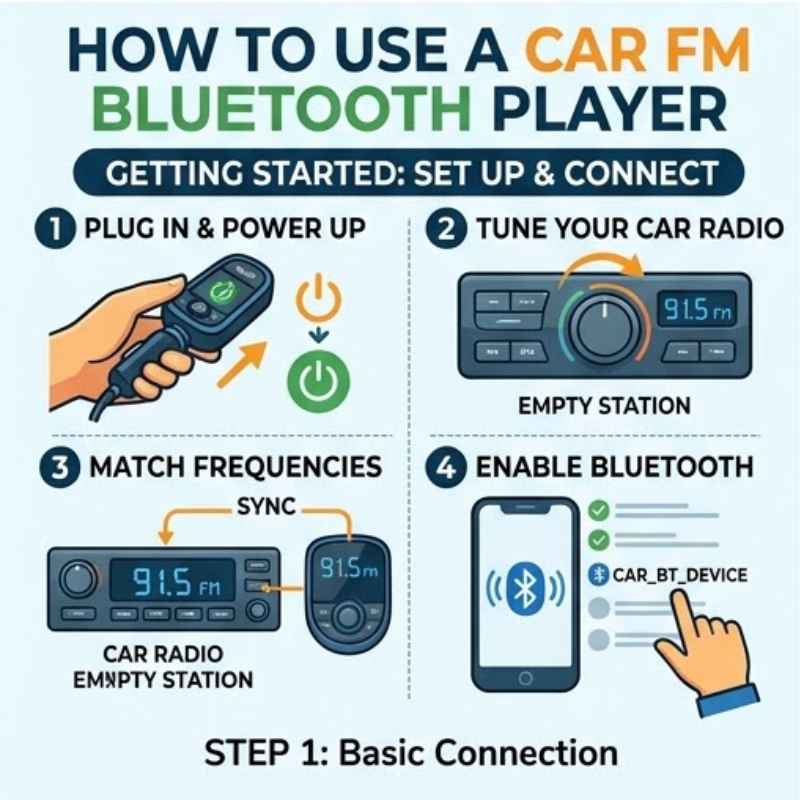
Step 1: Power Up
Plug your player into your car’s 12V power port. Most players turn on automatically. Look for lights or a screen display.
Step 2: Pair Your Phone
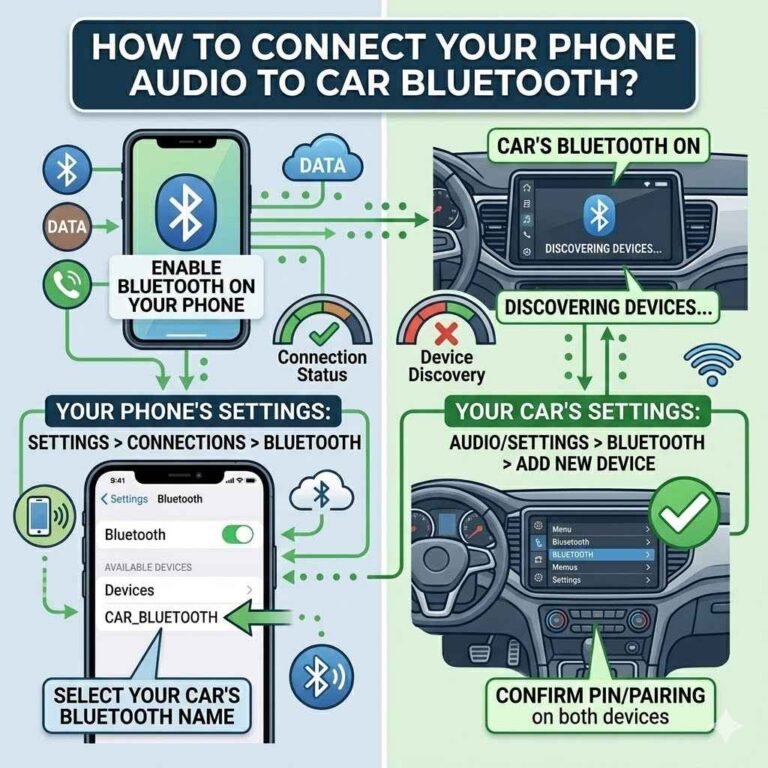
Turn on Bluetooth on your smartphone. Go to your phone’s Bluetooth settings. Search for new devices.
Your player’s name should appear (it might be something like “Car Kit” or a model number). Select it to pair. You might need to confirm a code, often ‘0000’ or ‘1234’.
Step 3: Find an Empty FM Station
This is key! Your player will broadcast on a specific FM frequency. You need to find a station on your car radio that has NO sound or just static.
Some players suggest frequencies to try. If not, scan through your radio dial. Look for numbers like 88.1, 95.5, or 107.9.
Avoid stations that play music or talk shows.
Step 4: Match Frequencies
On your FM Bluetooth player, set its broadcast frequency to match the empty station you found. Usually, there are buttons to scroll through frequencies. Once matched, your car radio should pick up the signal from your player.
Step 5: Play Music!
Now, play any music app on your phone. The sound should come through your car speakers. If you get a call, the player should pause music and ring through your speakers.
You can answer using the player’s button.
How the Magic Happens: Bluetooth and FM Waves
Let’s dive a bit deeper. Bluetooth is a short-range wireless technology. It lets devices like your phone and the FM player talk to each other without wires.
When you pair them, they create a secure link. This link carries audio data from your phone.
The player then takes that audio data. It converts it into an FM radio signal. This is similar to how regular radio stations broadcast.
The player uses a small transmitter. It sends this signal out. Your car’s FM radio antenna picks it up.
Your car radio then decodes this signal into sound. It’s all happening very quickly.
The choice of FM frequency is important. If you pick a frequency that already has a strong radio station, you’ll get interference. This sounds like static or distorted music.
That’s why finding an “empty” frequency is so crucial for clear sound.
Many players have a feature called auto-scan for finding empty frequencies. Or they might have a memory function to save your preferred frequency. These small things can make using the player much smoother.
Some players also offer multiple connection options. Besides Bluetooth, you might find a USB port for playing music from a flash drive. Some have an AUX-in jack.
This lets you connect your phone with a cable if Bluetooth isn’t working.
The microphone quality can vary a lot. For clear calls, you want a player with a decent microphone. Placing it closer to you is usually better.
Some higher-end players have noise-cancellation features.
Understanding Signal Strength is also helpful. The closer your car radio is to the player’s FM transmitter, the stronger the signal. This means less static.
Driving away from your car for a bit can sometimes break the Bluetooth connection. So, keep your phone relatively close when you’re driving.
Real-World Scenarios and Usage
Imagine you’re on a road trip. Your car stereo is old. It only plays AM/FM radio and CDs.
You want to listen to your curated road trip playlist from Spotify. Your FM Bluetooth player is a lifesaver here. You plug it in, pair your phone, pick a quiet FM channel, and your playlist fills the car.
Another scenario: you’re driving to work. Your boss calls. Instead of fumbling for your phone, you see the call incoming on the player’s screen.
You press the answer button. The music pauses. You have a clear conversation through your car speakers.
This keeps your eyes on the road and your hands free.
What about music quality? It depends on a few things. The quality of the original audio file on your phone matters.
The strength of the Bluetooth connection matters. And crucially, the purity of the FM signal matters. If you’re in a city with many radio stations, finding an empty frequency can be harder.
You might need to try different ones.
Some people use these players to listen to podcasts or audiobooks. The experience is generally the same as music. The player just transmits whatever audio is coming from your phone.
Placement of the Player is also a consideration. Plugging it into the 12V outlet is common. But if that outlet is in an awkward spot, it might be a hassle.
Make sure the cable is long enough. You want it accessible but not in the way of your gear shift or cup holders.
Battery drain is usually not an issue. These players draw power directly from the car’s 12V port. They don’t rely on their own batteries.
However, some cars only provide power to the 12V outlet when the ignition is on. So, the player might turn off when you shut off the engine.
Summer heat can affect electronics. If your car sits in direct sun for hours, the interior can get very hot. Most players are designed to withstand normal car temperatures.
But extreme heat could potentially shorten their lifespan or cause temporary glitches. It’s a good idea not to leave them exposed to direct, intense sun if possible.
Quick Scan: Player Features to Look For
Bluetooth Version: Newer versions (like 5.0 or higher) offer better stability and faster pairing.
Microphone Quality: Look for reviews mentioning clear call quality.
Display Screen: Shows song title, caller ID, and frequency.
Charging Ports: Many players have USB ports to charge your phone.
Adjustable Neck/Arm: Allows for better positioning of the player.
Button Layout: Easy-to-use buttons for play/pause, skip, and calls.
What This Means for You: When It’s Normal, When to Worry
It’s perfectly normal to experience a little static now and then. This often happens when you pass a strong radio tower or drive through an area with many overlapping signals. If the static is constant, or the sound cuts out frequently, that’s a sign something might need adjusting.
If your phone won’t pair, try these steps: Make sure Bluetooth is on for both devices. Turn both devices off and then on again. Forget the player in your phone’s Bluetooth settings and try to pair again.
Sometimes, restarting your phone fixes connection issues.
If you can’t hear any sound at all, double-check: Is the player plugged in and powered on? Is your phone connected via Bluetooth? Is your car radio tuned to the correct, empty FM frequency that matches the player?
Is the volume up on both your phone and your car stereo?
Interference from other devices can sometimes cause issues. While rare, other wireless gadgets can occasionally interfere with Bluetooth or FM signals. If you suspect this, try turning off other nearby electronics temporarily.
When to worry? If the player seems to overheat significantly. If it makes strange noises.
Or if it causes your car’s electrical system to act up (like dimming dashboard lights when you plug it in). These could indicate a faulty unit. In such cases, it’s best to stop using it and consult the manufacturer or replace it.
Software updates are usually not a thing for these basic players. They are pretty simple hardware. But if you have a very advanced model, check the manufacturer’s website.
Sometimes, firmware updates can fix bugs.
Consider the age of your car’s radio system. Older antennas might not pick up signals as well as newer ones. This can lead to a weaker sound.
However, for most cars made in the last 20-30 years, it should work well.
Simple Fixes and Tips
Keep your phone’s software updated. Sometimes, older phone operating systems can have Bluetooth compatibility issues.
Clean the 12V port. Dust or debris in the port can sometimes cause a poor connection. A quick blast of compressed air can help.
Experiment with FM frequencies. Don’t just stick to one “empty” station if it’s not perfect. Try several. Sometimes a frequency that sounds clear on one side of town might be noisy on the other.
Use the player’s buttons for control. Instead of picking up your phone to skip a song, use the buttons on the FM player itself. This is safer and often works better.
Adjust the player’s position. If it has a flexible neck, try moving it around. Sometimes, a slight shift can improve the sound or microphone clarity.
For clearer calls: When on a call, try to be in a quieter environment if possible. Minimize background noise in your car.
Power management: If your car powers the 12V port constantly, the player will stay on. This could drain your car battery if left plugged in for very long periods with the engine off. Most people don’t have this problem, but it’s good to be aware.
Invest in a quality player. While cheap ones exist, spending a little more often gets you better sound quality, more stable Bluetooth, and a more reliable microphone.
Contrast: Myth vs. Reality
Myth: These players replace your entire car stereo.
Reality: They work with your existing car stereo by using its FM tuner.
Myth: Any FM frequency will work.
Reality: You need to find an empty FM frequency with minimal interference for clear sound.
Myth: They only work for music.
Reality: They transmit any audio from your phone, including podcasts, GPS directions, and calls.
Myth: They require complicated installation.
Reality: Most simply plug into the 12V port and pair via Bluetooth.
Frequently Asked Questions
How do I know which FM frequency to use?
You need to find an FM frequency on your car radio that has no station broadcasting. It should sound like static or be completely silent. Then, set your FM Bluetooth player to broadcast on that same frequency.
You can scan through your car radio dial to find these quiet spots.
My phone won’t connect to the player. What should I do?
First, ensure Bluetooth is turned on for both your phone and the player. Try turning both off and on again. If that doesn’t work, go into your phone’s Bluetooth settings, “forget” the player device, and then try to search and pair it again.
Restarting your phone can also help.
Can I use this to hear GPS directions from my phone?
Yes, absolutely! Your FM Bluetooth player transmits whatever audio your phone is producing. So, when your GPS app gives directions, you’ll hear them clearly through your car speakers.
How do I answer or end a call?
Most FM Bluetooth players have a button, often with a phone icon, to answer or end calls. When a call comes in, the music usually pauses automatically. Pressing this button will connect the call.
Pressing it again will hang up.
Is the sound quality as good as a CD or streaming via USB?
Sound quality can vary. It depends on the original audio quality, the Bluetooth connection, and how clean the FM signal is. Generally, it’s good enough for most users, but it might not be as crystal clear as a direct digital connection like USB or an AUX cable.
However, for adding Bluetooth to an older car, it’s a fantastic improvement.
Do I need to remove the player when I turn off my car?
This depends on your car. Most 12V ports only get power when the ignition is on. If yours stays powered even when the car is off, the player will remain on.
Leaving it plugged in usually won’t drain your battery unless it’s drawing a lot of power. Many people just leave them plugged in.
My player has a USB port. Can I charge my phone with it?
Yes, many FM Bluetooth players come with one or more USB ports that function as phone chargers. The charging speed might not be as fast as a dedicated car charger, but it’s very convenient for topping up your phone’s battery on the go.
Final Thoughts on Using Your Player
Using a car FM Bluetooth player is a fantastic way to bring modern convenience to any vehicle. It’s about enjoying your favorite music and staying connected safely. Don’t let a few setup steps seem daunting.
With a little patience and by following these simple guidelines, you’ll be streaming tunes and taking calls like a pro in no time. Happy driving!
Products related to this article
Sponsored / affiliate links. As an Amazon Associate I earn from qualifying purchases. I may earn additional commission from eligible campaigns.