Car Key, Lock, and Door Access Guide for Safe Lockouts
Use a 4-step rule: verify battery power, check for a hidden mechanical key, confirm the exact lock system, then choose the least invasive entry method: app, manual key, roadside service, or dealer/locksmith. I have seen people force the wrong door or lock and turn a basic lockout into bent frames, side-airbag trouble, scratched paint, a drained battery, or a four-figure repair. This guide maps each failure mode to the safest access option by vehicle type, from metal-key cars to push-button, app-connected, and fleet vehicles.
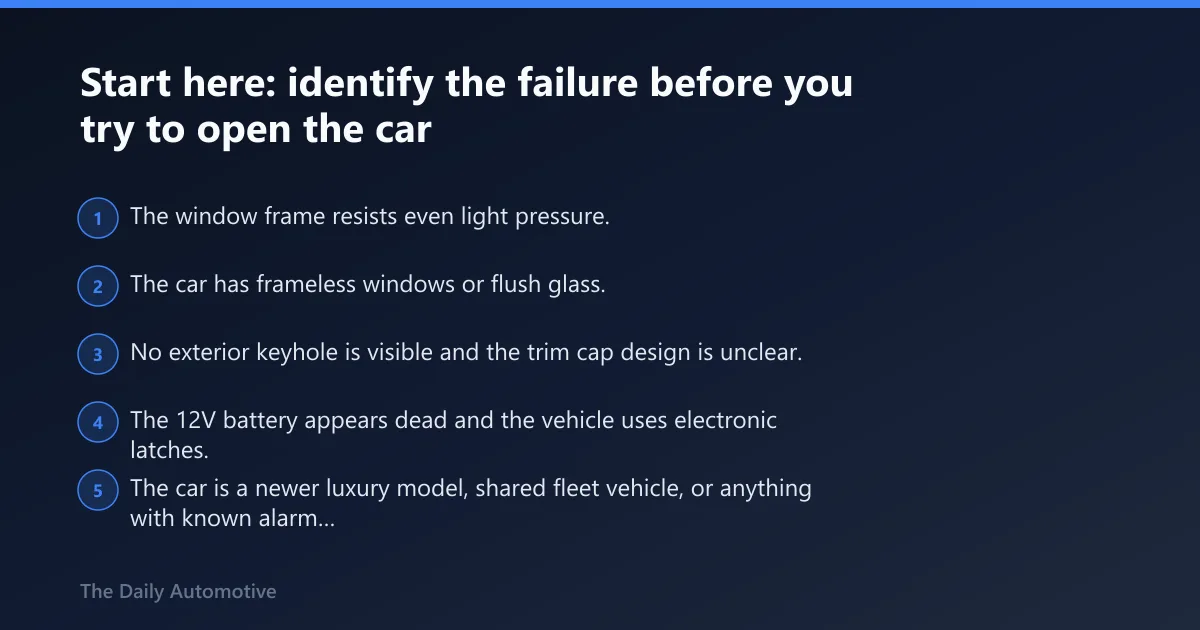
Start here: identify the failure before you try to open the car


Keys locked inside, lost key, dead fob, and dead 12V battery are different problems
A car that has the keys locked inside usually still has a working lock system. A lost key problem is different because there may be no valid credential left near the car. A dead key fob battery can stop the button-based door release and trunk release while still leaving the metal emergency key in the fob usable at the door. A dead 12V battery can disable electronic latches, remote keyless entry, and some app functions at the same time.
That distinction matters. The safest path for a dead fob battery may be to use the physical key from the fob and then start the car with the fob held close to the start button, if the owner’s manual confirms that procedure. The safest path for keys locked inside may be app unlock, a spare key, or roadside service.
How vehicle age and lock design change your options
Older keyed cars often have visible door keyholes, simpler weather seals, and exposed lock hardware. Mid-era remote keyless entry cars usually combine a button-based fob with a hidden mechanical key. Newer passive keyless cars often hide the keyhole behind a trim cap and use tighter glass channels, side airbags, and frameless-window designs that make manual entry tools a bad bet.
The Daily Automotive explains keyless entry as allowing touch-to-unlock when the fob is nearby. That is different from remote keyless entry, where locking and door release happen by pressing buttons on the fob within radio range.
The stop-now signs that mean call a pro
- The window frame resists even light pressure.
- The car has frameless windows or flush glass.
- No exterior keyhole is visible and the trim cap design is unclear.
- The 12V battery appears dead and the vehicle uses electronic latches.
- The car is a newer luxury model, shared fleet vehicle, or anything with known alarm sensitivity.
- The only remaining option seems to be a wedge, rod, hanger, or pry method.
Those signs point to high damage risk. In those cases, stop before a lockout becomes broken trim, torn weather seals, or an airbag-zone problem.
According to accesstoolsusa.com — The Access Tools manual includes over 600 pages of vehicle-opening directions.
When a Door Won’t Latch, Replace the Right Assembly
If a car door won’t stay shut, pops open after closing, or the lock actuator no longer moves the latch, the fix is often the full latch assembly—not just a spring, cable, or motor. The supporting article breaks down how to match the part to the failure mode, connector style, and mounting shape so you avoid buying the wrong piece and dealing with a door that still won’t secure properly. It also explains when a complete replacement makes more sense than trying to repair internal components.
Use this replacement car door latches guide to compare fitment details before ordering, especially if your vehicle has a power lock actuator built into the latch. That matters because the wrong assembly can leave the door stuck, unlatch unexpectedly, or create a return you didn’t need.
How do car key and door access systems actually differ?
A physical key works through a metal blade and lock cylinder, remote keyless entry works by short-range radio buttons, passive keyless entry unlocks by proximity or handle touch, and phone-based systems use app commands or NFC credentials. Each one fails in a different way, so the backup method changes with the system.
Physical key and exterior keyhole basics
A physical car key is still the most direct backup on many vehicles. It works even when the fob battery is dead, and it can give emergency door access when radio functions fail. On older cars, the driver-door keyhole is usually obvious. On newer cars, the keyhole may hide behind a small trim cap on the handle.
Traditional lock compatibility is strongest on older keyed cars. On some newer vehicles, the mechanical key opens only the driver door and may not disarm every alarm state until the smart key is detected inside.
Remote keyless entry: button-based radio unlock
Remote keyless entry, or RKE, is the button-based system most drivers know. Press lock, unlock, panic, or trunk release, and the car responds over short-range radio if the fob battery and vehicle battery are healthy. The Daily Automotive explains key fobs can include trunk and panic buttons.
A weak fob battery often shows up as reduced range or intermittent response. RKE does not usually provide touch-to-open behavior. It requires a button press.
Passive keyless entry: proximity and handle-touch systems
Passive keyless entry uses a nearby smart key rather than a button press. The door may unlock when the handle is touched or when the driver approaches with the fob in a pocket or bag. The Daily Automotive describes this as touch-to-unlock when the fob is nearby.
Common failure points differ from RKE. The fob may still be in the car, detected for start, yet the exterior handle sensor or low vehicle voltage can keep the door from opening.
Phone-based access, including Apple Car Keys
Phone-based access splits into two categories. A manufacturer app sends a remote unlock command over cellular data, assuming the account is active and the car is online. Apple Car Keys is different. MacRumors says Apple Car Keys can unlock, lock, and start compatible vehicles, and it uses an NFC-based Digital Key 2.0 specification.
MacRumors says you can unlock by tapping a door handle with an iPhone or Apple Watch. On supported vehicles, Express Mode can allow access without Face ID or a passcode prompt. That is a true digital credential, not a remote command.

Keyless Entry vs Remote Start: Choosing the Right Feature
Keyless entry provides faster door access, while remote start preconditions the cabin before you enter. Selecting the wrong system means paying for unused hardware or losing functionality when batteries fail. This comparison clarifies core trade-offs and explains what still works during signal or power failures.
The guide distinguishes passive from remote keyless entry, confirms whether one feature requires the other, and includes a decision matrix for eight real-world scenarios. Understanding these differences prevents costly mismatches and ensures your vehicle access system aligns with daily needs. Review the full keyless entry comparison to match features to your specific use case and avoid common installation mistakes.
Comparing OEM and Aftermarket Key Options
The critical difference between factory and third-party keys lies in transponder chip compatibility and remote pairing protocols. Choosing incorrectly can lead to doubled costs from repeated cutting, programming failures, or towing a non-starting vehicle. OEM vs aftermarket keys explores the specific blade, chip, and remote functions that determine which option suits your car.
This resource breaks down the decision matrix for cost and compatibility, helping you identify when dealer-only programming is necessary versus when a precise aftermarket match will work. Understanding these technical distinctions prevents the common error of assuming all replacement keys are interchangeable, ensuring you select the right tool for your specific immobilizer system.
Aftermarket Horn-Based Alarms: When Noise Deters and When It Nuisances
Not every aftermarket alarm is built for the job. A horn-driven deterrent like the Vixen Horns alarm review can draw fast attention, but its effectiveness hinges on clean wiring, sensible trigger setup, and whether blaring your horn in your parking spot actually fits the environment. The supporting article walks through install complexity, false-alarm risk, horn volume, battery drain, motion-sensor wiring, and a decision table so you can see where Vixen Horns fits—and where it doesn’t—on street-parked cars, trucks, garage cars, and older 12V vehicles.
What should you do if the keys are locked inside?
If the keys are inside, start with the least invasive options in this order: spare key, second authorized driver, manufacturer app, hidden mechanical key if it unlocks another door, roadside assistance, then an automotive locksmith. Manual wedges or rods belong near the end, and mostly for older cars with visible hardware.
Safest first moves: spare key, second driver, and app unlock
A spare key is the fastest clean fix if you can get it to the car in minutes instead of hours. In real lockouts I have handled, the best outcomes usually came from a spouse with the spare, a fleet manager with the key cabinet code, or a coworker who already had the backup fob. If the car maker’s app supports remote door release, the guide recommends using the car maker’s app if it supports remote door release.
App unlock only works when the account was already set up, the phone can log in, the vehicle still has 12V power, and both phone and car have enough network access to complete the command.
When the hidden physical key helps and when it does not
The hidden physical key helps when the fob is in hand but its battery is dead or the radio path is failing. It does not help when the entire fob is locked inside the cabin. It also may not help much if the driver door keyhole is hidden and the trim cap removal method is unclear in the owner’s manual.
When roadside assistance or AAA is the best call
The guide says remote unlock via roadside assistance or AAA is one of the fastest safe options. This is usually the right move when the keys are plainly inside, the vehicle is newer, and no app or spare key is available.
Roadside assistance usually sends a lockout tech equipped for non-destructive entry, and that is where I would go before guessing with hand tools. That matters on cars with side airbags in the door area, expensive glass, and delicate brightwork around the frame.
Why wedges and rods belong mostly to older cars
DIY wedge-and-rod methods are mainly for older cars and can risk damage on newer ones. They can bend the upper frame, tear weather seals, scratch glass, and snag trim or interior cables. Coat hangers are even less predictable.
For context, the Access Tools manual includes over 600 pages of vehicle-opening directions. The manual covers vehicles from 1979 to the present year. The manual weighs 4.50 pounds per item. If trained techs need that much vehicle-specific guidance, a casual DIY attempt on a late-model car is rarely sensible.
What emergency key tools can and can’t do
If you’re trying to get back into a locked car, the right tool depends on the door design, lock type, and how much risk you’re willing to take. The supporting guide explains the main DIY options—air wedge kits, slim jims, and long-reach tools—along with the situations where each one is most suitable and where each one can cause damage. It also helps you weigh DIY access against roadside assistance or a mobile locksmith, which is often the safer choice. For a practical breakdown of the most common options, see this car emergency key tools guide.
Choosing the right lubricant for frozen or stuck car locks
A frozen car door lock requires a specific lubricant type to avoid making the problem worse. Dry graphite or PTFE-based products work best inside the cylinder, while silicone spray is better suited for latches and weather seals. Using standard penetrating oils like WD-40 as a final fix often leaves residue that attracts dirt and causes the lock to freeze again.
Matching the lubricant to the exact failure point—whether it is a frozen cylinder, sticky latch, or squeaky hinge—prevents broken keys and gummy mechanisms. This breakdown of frozen car lock lubricants explains which product to apply where and how to clean a dirty lock before treatment.
What should you do if the key fob battery is dead?
If the fob battery is dead, treat it as a remote-entry failure first, not automatically a no-start event. Use the hidden physical key for door access, then check the owner’s manual for the close-range start procedure used by many push-button cars. Replace the fob battery soon and verify every backup method afterward.
How to spot a dead fob battery versus a signal issue
Typical clues include reduced range, no response from lock or unlock buttons, and a car that starts only when the fob is very close to the start button or steering column area. If a second fob works, the first fob battery is the likely fault. If neither works, the issue may be vehicle power or receiver-related.
Using the hidden physical key for door entry
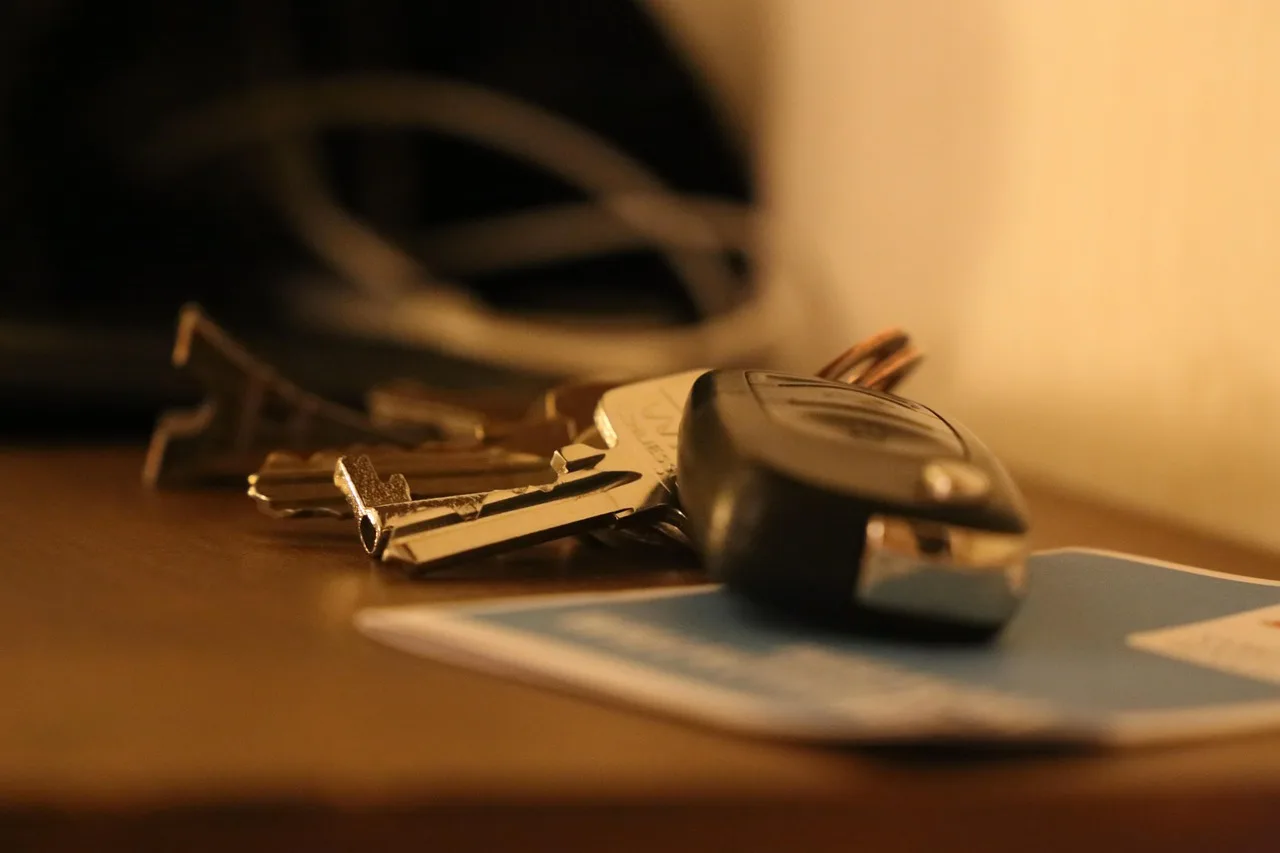
Many fobs include a small release slider or latch that lets the metal key blade slide out. That key can open the door lock cylinder even when the fob battery is flat. Some handles hide the cylinder under a trim cover, so the owner’s manual matters here.
How many push-button cars still start with a weak or dead fob
Many push-button systems can still read a fob at close range even after the coin cell dies. The exact contact point differs by model. Some want the fob held against the start button. Others want it placed in a marked backup spot. Do not guess, use the manual’s dead-fob procedure.
Battery replacement, re-sync limits, and backup planning
A fresh coin cell often restores normal button range immediately. Some vehicles need no re-sync. Others may need a specific sequence after battery replacement. Keep one spare fob battery at home, and test the hidden physical key before an emergency rather than during one.
Can you still use the physical key in a key fob?
Yes, many fobs contain a hidden mechanical key that can open the driver door when the fob battery is dead or remote keyless entry fails. The trick is finding the release tab and the keyhole without forcing trim. On some vehicles, that key opens only the door, not every lock state.
Where the hidden key release usually is
Look for a small slider, side catch, or button on the fob shell. Pull the key blade straight out once the release is moved. Avoid prying the case apart unless the manual says to do that for battery service. The release for the key and the battery compartment are often different parts.
How to find a covered door keyhole without breaking trim
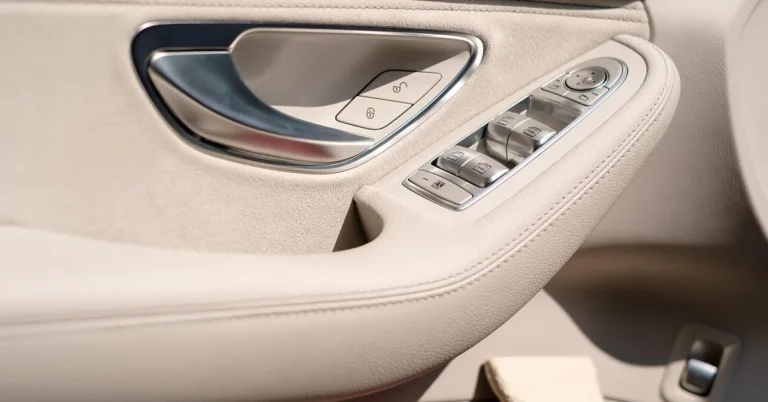
Many newer doors hide the key cylinder behind a cap at the outer end of the handle. That cap may have a small slot or a removable section designed for the mechanical key. If the cap does not move with light, correct pressure, stop and check the manual. Broken handle trim is a common unforced error.
What the mechanical key can open on different vehicles
On older cars, the physical key often works the driver door, passenger door, trunk, and ignition. On mid-era fob cars, it may open only the driver door and trunk. On some smart-key vehicles, it is strictly an emergency door-entry tool.
Why a turned key may open the door but not silence every alarm state
The door may unlock mechanically while the alarm remains armed until the car detects the valid fob inside. That can trigger horn or flashing-light behavior during entry. This is normal on some systems and is another reason to move from door entry to proper start or disarm steps quickly, using the manual.
Do app unlock and Apple Car Keys work if your keys are lost?
Sometimes, but only if those systems were set up before the key was lost and the vehicle supports them. Manufacturer app door release needs an active account, phone access, and enough vehicle power and connectivity. Apple Car Keys needs a compatible car and a valid digital key already stored on the iPhone or Apple Watch.
Manufacturer app unlock: account, setup, and cellular limits
App-based door release is excellent when it works. The guide recommends using the car maker’s app if it supports remote unlock. But it is not universal. A lapsed subscription, password problem, offline car, dead 12V battery, or weak cell coverage can stop the command.
Apple Car Keys: NFC, Express Mode, Apple Watch, and shared access
MacRumors says Apple Car Keys can unlock, lock, and start compatible vehicles. MacRumors says you can unlock by tapping a door handle with an iPhone or Apple Watch. MacRumors says Apple Car Keys uses an NFC-based Digital Key 2.0 specification.
Because it is NFC-based, Apple Car Keys is different from a cloud app. It relies more on the credential stored in the device and the car’s compatible reader. Shared access can be useful for families, but every driver still needs a properly issued digital key.
What happens if your phone battery is low or the car is offline
MacRumors says Apple’s power reserve lasts about five hours after the iPhone needs charging. That can keep a stored car key usable for a while on supported devices. App unlock is less forgiving because it still depends on account access and the car’s ability to receive the command.
Shared, fleet, and family-use access edge cases
Fleet and shared vehicles add another layer: permissions. A driver may have app visibility but no unlock rights. A family member may have the car in their app but lack current login access after a phone change. Borrowed cars often fail at the account step, not the door step.
Digital access rules work a lot like managed building entry. Denver University says most campus buildings use ID card readers to manage entry, and DU says emergency after-hours access should go through Campus Safety at 303-871-3000. Cars with digital credentials are less formal, but the same idea applies: prior authorization matters more than improvisation. (du.edu)
Vehicle access decision table: safest method by failure mode and car type
How to read the table: failure, entry method, risk, tools, stop point
Match the exact failure first. Then find the vehicle generation and use the lowest-risk path listed. Risk reflects damage potential, not convenience. If the stop point appears, switch to roadside assistance, AAA, or an automotive locksmith instead of escalating DIY force.
| Failure mode | Vehicle type | Safest entry method | Risk level | Likely tools needed | When to stop and call a pro |
|---|---|---|---|---|---|
| Keys locked inside | Older keyed car with visible lock cylinder | Spare key first, then roadside unlock | Low | Spare key, phone | No spare, no app, or frame resists any manual attempt |
| Keys locked inside | Mid-era RKE car with hidden mechanical key in spare fob | Use spare fob or manufacturer app | Low | Spare fob, phone app login | App fails and only wedge-and-rod remains |
| Keys locked inside | Newer passive keyless car | Manufacturer app, AAA, or roadside unlock | Low to medium | Phone, account access, roadside membership | Frameless glass, flush handles, or luxury trim |
| Dead key fob battery | RKE or smart-key vehicle with hidden physical key | Use hidden physical key, then manual-confirmed start procedure | Low | Fob, mechanical key, owner’s manual | No visible key release or trim cap is unclear |
| Lost key | Any vehicle with active app unlock | App unlock, then retrieve spare key | Low | Phone, account access | No prior setup, no service, or no spare available |
| Lost key | Any push-button car without app access | Automotive locksmith for entry and key programming | Medium | Phone, registration or ID as required | Vehicle needs credential programming beyond entry |
| Dead 12V battery | Newer car with electronic latches | Mechanical key if available, then battery service | Medium | Mechanical key, roadside battery help | No mechanical access path or charge point guidance |
| Jammed or frozen lock | Older keyed car | Try another door keyhole or spare key, then locksmith | Medium | Spare key, phone | Key binds hard or cylinder feels damaged |
| App unavailable | Fleet or shared vehicle | Contact fleet admin or roadside provider on file | Low | Phone, driver authorization | You lack unlock permission or custody approval |
Older cars with traditional locks and exposed hardware
Older cars give more room for mechanical access, but that does not make improvised tools safe. If a proper key or spare is unavailable, roadside service remains the better choice. The lock cylinder itself is usually the best entry point.
Newer keyless cars with hidden keyholes and tighter packaging
Newer keyless cars punish casual prying. Hidden caps break, upper frames distort, and glass alignment can shift enough to create wind noise and water leaks later. If the hidden mechanical key path is unclear, stop there.
Luxury, frameless-window, and fleet vehicles where damage risk jumps
Frameless windows and flush-glass doors leave little margin. Fleet vehicles add policy and access-approval issues. Both cases move quickly from simple lockout to expensive correction. Treat them as professional-entry jobs from the start.
Best Car Door Edge Guards for Parking Lot Protection
The right car door edge guard can stop costly dings in busy parking lots by providing a thick, paint‑safe barrier that endures repeated swings, curbside loading, and car‑wash abuse. The linked guide evaluates PVC and EPDM trim options, explains why cheap peel‑away strips often fail, and walks you through the quick comparison, testing methodology, and top picks—including U‑shaped trim for most doors, L‑shaped trim for thin doors, carbon‑fiber wrap for an invisible look, and Jeep‑specific hinge covers. Knowing which guard survives real‑world wear saves paint, reduces repair bills, and keeps fleet or family vehicles looking new. car door edge guards provide the detailed rankings and buying advice you need.
Matching steering wheel locks to your parking risk
Steering wheel locks deter theft most effectively when the device matches your specific parking environment. Apartment curb parking benefits from high-visibility models that signal protection instantly, while street parking demands stronger physical resistance and louder warnings if tampered with.
The supporting guide breaks down top options by threat level, covering visible deterrents like the Disklok, wheel-to-pedal immobilizers such as the Tevlaphee, and compact choices for limited storage. It explains why visibility alone often stops opportunistic thieves before they attempt entry. Pairing the right steering wheel lock with your daily parking routine adds a critical physical barrier that electronic security systems cannot provide on their own.
When should you call roadside assistance, AAA, or a locksmith?
Call roadside assistance or AAA when the goal is safe entry with the existing key still inside or nearby. Call an automotive locksmith when you also need key origination, transponder work, or programming. Newer vehicles often make this split clear: unlock service is one job, replacement credential work is another.
When roadside assistance is enough
Roadside help is usually enough for a straightforward lockout where the key is visible inside the cabin, the app failed, and the car does not need a new credential. The guide says remote unlock via roadside assistance or AAA is one of the fastest safe options.
When you need an automotive locksmith with programming capability
If the key is lost, broken, or stolen, entry alone is not enough. The vehicle may need a new transponder key, a smart key programmed to the immobilizer, or old keys removed from memory. That is locksmith or dealer territory, depending on the brand and system.
Damage-risk tradeoffs
The wrong DIY move can cost more than professional help. Bent window frames, scratched glass, torn weather seals, broken trim clips, and alarm or immobilizer trouble all start with “just trying to get in.” On many late-model cars, the math favors a service call early.
What backup access options should you keep for your car?
The best backup plan combines a spare key, confirmed knowledge of the hidden mechanical key, and digital access only if it has already been set up and tested. Keep the owner’s manual section bookmarked, and store backup credentials where they help in an emergency without creating an easy theft target.
Spare key storage that lowers risk
Store one spare at home and one with a trusted person if the car is shared often. Magnetic hide-a-key boxes can still make sense on some older vehicles, but only after considering theft risk and parking routine. Do not place a tagged spare where it identifies the car.
Battery and phone-access habits that prevent lockouts
Replace weak fob batteries before they become no-response failures. Keep the phone app logged in and verify that remote commands still work after phone upgrades. If using Apple Car Keys, confirm which family members or drivers actually have a valid digital key on their device.
Owner’s manual pages worth bookmarking
Bookmark the pages for hidden key release, covered keyhole access, dead-fob start procedure, dead-battery door entry, alarm behavior after mechanical unlock, and app setup. Those pages answer the exact questions that matter at the curb.
A simple family or fleet access plan
For families, decide who holds the spare and who has app rights. For fleets, define key custody, unlock authorization, and after-hours contact steps. The best plan is boring, written down, and checked before someone gets stranded.
Is the Viper 350 Plus still a viable security option?
The Viper 350 Plus is a legacy keyless entry and basic alarm system that only makes sense for specific 2-door central locking kits where cost outweighs modern feature expectations. A Viper 350 Plus review clarifies its limited value: it is not a comprehensive security upgrade, and poor installation can lead to expensive false alarms, battery drain, or door lock faults. The guide breaks down the included specs, explains the wiring and lock output logic, and analyzes whether it functions on cars with or without factory power locks. If your goal is basic convenience for an older vehicle, this assessment helps you decide if the dated features are worth the potential risk.
Hidden Spare Key Storage Methods Ranked by Theft Risk and Weather Exposure
A magnetic hide-a-key or coded lockbox only works as a reliable backup when matched to your vehicle’s construction and local climate. Placing a spare key under a non-metal underbody or in a moisture-prone spot leads to corrosion, theft, or a failed retrieval during an actual lockout.
The guide on spare car key storage ranks options—including combination lockboxes, hitch receiver boxes, license plate mounts, tire wells, and gas tank flaps—by theft risk, weather exposure, retrieval speed, and vehicle fit. Choosing the right method ensures your emergency spare is actually accessible when you need it most.
Protecting Your Smart Key From Wear and Signal Problems
If your fob is getting scuffed, cracked, or hard to grip, the right cover can protect it without making it harder to use. The supporting guide explains how to choose a keyless entry cover based on your exact smart-key model, button count, and FCC ID, so you avoid a loose shell or buttons that bind. It also compares slim silicone skins, firmer TPU cases, leather cases, replacement shells, and Faraday pouches so you can match the product to your goal: scratch protection, better handling, or signal blocking.
That matters because the wrong fit can reduce remote range, cause mispresses, or leave the key exposed. See the smart key cover guide for the fit checks and tradeoffs that help you buy once and avoid preventable problems.
Frequently asked questions
How do I unlock my car door if the keys are inside?
Use the lowest-risk path: retrieve a spare key, ask the second listed driver to bring their key, try the manufacturer app if it was already set up, then call roadside assistance or AAA. Manual wedges and rods should stay limited to older cars and professional use.
Can I use my physical key in a key fob?
Usually, yes. Many fobs have a release tab that slides out a metal key blade for emergency door access. That key may open only the driver door on some vehicles, and the keyhole may sit behind a removable handle cap, so consult the manual before forcing trim.
What is the safest way to unlock a car door without damaging it?
The safest method is the least invasive one that matches the failure: spare key, app unlock, hidden mechanical key, or professional roadside entry. On newer cars, trying to pry the frame or fish a rod past tight seals often creates more damage than the lockout itself.
Does a car unlock app work if my keys are lost?
It can, but only when the car supports remote unlock, the account was already active, the phone can log in, and the vehicle still has enough power and connectivity to receive the command. Lost keys do not matter to the app, setup and current access rights do.
What is Apple Car Keys and how does it work?
Apple Car Keys is a stored digital vehicle credential for compatible cars. MacRumors says it can unlock, lock, and start supported vehicles, and tapping a door handle with an iPhone or Apple Watch can work through its NFC-based Digital Key 2.0 system when configured in advance.
Products related to this article
Sponsored / affiliate links. As an Amazon Associate I earn from qualifying purchases. I may earn additional commission from eligible campaigns.